SimonSezIT's success is rooted in founder Simon Calder's own story of upskilling and training. While working as an IT project manager, he found the existing learning material difficult and clunky. He committed himself to building an exciting online learning platform that would engage students as they learned, and that would provide them with the IT skills they needed to improve their performance at work and raise their employability.
Since its founding, SimonSezIT

By the end of this course, you will be able to:
- Recognize how to open a spreadsheet and save your work
- Identify where you can access the Ribbon, the Quick Access
- Recognize how to backup and recover your work if you ever lose it
- Explain how to use Fill and Flash Fill
- Define how to Copy, Cut and Paste in Excel
- State how to customize your options and preferences in Excel
- Indicate the use of Toolbar and Mini Toolbar options in Excel
- Identify how to enter text, numbers, names and basic formatting
- Recognize how to format cells properly
- Describe how to move worksheets around and apply spell check

By the end of this course, you will be able to:
- Describe how to use Word on touch-based machines (iPad, tablet etc.)
- Explain how to customize and personalize Word settings for your needs
- Recognize how to use the ribbon, quick access toolbar and mini toolbar
- Describe how to enter words, letters, symbols, dates, tables
- Recall how to use helpful shortcut features like Find and Replace
- Outline how to access different views in Word including Print preview
- Recognize how to check for spelling and grammar and how to use Word's autocorrect feature
- Demonstrate formatting documents by changing fonts, sizes, borders, shading, bullets and paragraphs

By the end of this course, you will be able to:
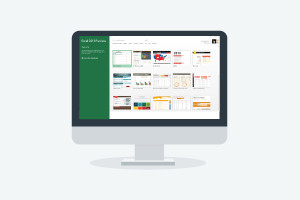
- Discuss navigating Microsoft Access using the ribbon and toolbar
- Recognize how to customize Access for your specific requirements
- Discuss the use of the desktop or web app versions
- Identify how to create tables and create relationships between those data tables
- Identify how to sort, filter, enter and find data in your databases
- Discuss correctly designing an Access table including using Design View and Field properties
- Recognise how to create, design and edit Forms

By the end of this course, you will be able to:
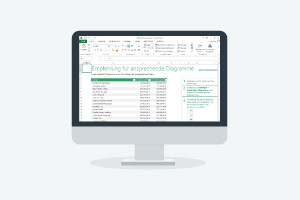
- Discuss the use of advanced functions and formulas in Excel
- Illustrate a good understanding of financial functions
- Identify how time and dates are stored and calculated
- Discuss how to use statistical functions to perform regression and percentile calculations
- Explain and demonstrate how text functions work
- Discuss detailed knowledge of logical functions
- Recognize how to connect Excel with external data sources

Upon completion of this course you will be able to:
- Describe how to start PowerPoint, open, save protect and edit your presentations
- Explain how to customize PowerPoint settings to your needs
- Recognize how to locate the ribbon, quick access toolbar and status bar in PowerPoint 2013
- Describe how to add and delete slides, adjust sizes and orientation
- Identify how to change your presentation view and define what each view is used primarily for
- Discuss how to add and format text using text boxes and symbols
- Explain how to use master themes, layouts and templates

By the end of this course, you will be able to:
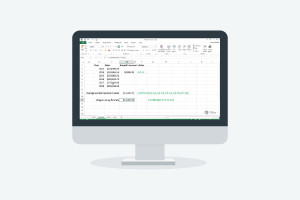
- Recognize how to create a new publication
- Explain how to Insert, rename, move and delete pages
- List the use of rulers, measurements and guidelines
- Identify how to change Publisher options to suit your needs
- State how to Insert, format and work with text boxes
- Describe the process of inserting paragraphs, columns, hyperlinks and more
- Recall how to work with Styles in Publisher
- Discuss the ways of working with images, including Bitmap and Vector
- Indicate how to use all the different digital file types
- Describe how to move, crop, resize and adjust settings on all your images

By the end of this course, you will be able to
- Identify how to navigate Outlook and understand the ribbon, quick access toolbar and contextual menu
- Recognize how to customize Outlook to your needs
- Discuss how to set up an Outlook account
- Identify the process of send and receive emails and calendar appointments
- Recognize how to add contacts to your address book
- Recognize how to add tasks and create notes
- Discuss integrating Outlook with email service providers
- Identify how to add, remove and delete items form folders
- Disucss using auto archive and manual archive

By the end of this course, you will be able to:
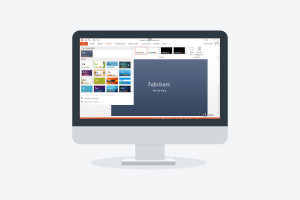
- Discuss creating a new SharePoint site
- Recognize how to add contents and Apps to a SharePoint site
- Recognize how to set up users and user permissions on a SharePoint site
- Discuss the integration SharePoint with other MS Office tools
- Recognize how to import data from an Excel workbook
- Identify the process of updating documents including checking them in and out
- Recall how to work with page history and versions


Frequently Asked Questions
Once you have completed your purchase, your Digital Certificate/Digital Diploma and Transcript can be downloaded from the Dashboard of your Alison Account.
I access Alison via my computer:
Expand the Your Completed Courses & Claimed Certificates widget in your dashboard as shown below:
You will then be able to download your Digital Certificate/Diploma and Transcript. 
I access Alison via my Mobile Browser:
Expand the Your Completed Courses & Claimed Certificates widget in your Dashboard as shown below:
You will then be able to download your Digital Certificate/Diploma and Transcript. 
I access Alison via App:
Open My Certificates in your Dashboard, as shown in the example below:

You will then be able to download your Digital Certificate/Diploma and Transcript.

Continuing Professional Development, or CPD, is the process of continually developing or maintaining your professional skills. CPD helps individuals focus on how they can become a more competent and effective professional. Due to our rigorous publishing review process, courses on Alison are now being accredited by CPD UK, an independent organisation. Accredited CPD training means the learning activity has reached the required Continuing Professional Development standards and benchmarks, and the learning value has been scrutinised to ensure integrity and quality. This CPD Certification Service provides recognised independent CPD accreditation compatible with global CPD requirements. This means a certificate from a course on Alison can now be used as part of your CPD requirements (please check with your organisation’s guidelines). You can find out more about Alison accreditation here.
Users can pay a nominal fee to automatically download Digital Certificates or purchase paper or framed Certificates that are shipped via mail. For a more detailed list of the costs, visit the Shop page.