
Ashraf’s core skill is explaining difficult concepts through a step-by-step easy-to-understand method using video and text-based courses. With over 11 years of tertiary teaching experience, Ashraf has d

By the end of this course, you will be able to:
- Explain how to download and install the Arduino application on your computer
- Recall how to download and install the ESP32 package in the Arduino application
- Distinguish between a web server and a web client
- Outline the operating modes of ESP32
- Discuss how to turn an ESP32 into an access point and serve webpages to any connected client
- Describe how to build a simple web server with an ESP32 to control outputs such as LEDs
- Select the correct General Purpose Input Output for your projects

By the end of this course, you will be able to:
- Describe the work of a troubleshooter
- List the various tools used by a troubleshooter
- Summarise standard electronic and electrical components
- Define troubleshooting
- Discuss the importance of device maintenance
- Recall the four main steps of servicing
- Compare direct current to alternative current
- Explain practical aspects of current measurement
- Recall basic symbols
- Recognise resistors
- Describe the testing of capacitors
- Contrast inductors to transistors

By the end of this course, you will be able to:

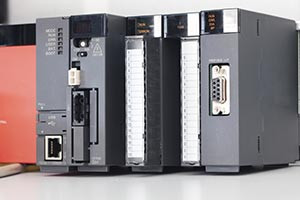
- Outline the examples of control elements
- Describe the two types of circuits used to make line diagrams
- List the three parts of the CPU
- Define the concept of soft wiring
- Discuss the difference between off-delay and on-delay timers
- Recall the buttons under the file menu in TP Editor
- Explain the process of creating a SCADA project
- Evaluate the two types of counters
- Analyze the essential elements in SFCs

By the end of this course, you will be able to:
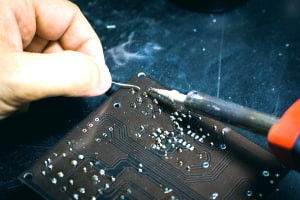
- Identify the correct soldering iron for your job
- List the tools you need to stay safe and do a professional job
- Summarize the soldering process
- Recognize a good soldering joint from a bad one
- Define tinning
- Discuss the cleaning process for your soldering iron
- Explain how to solder correctly

By the end of this course, you will be able to:
- Define an interrupt
- State how to code using MikroC Pro
- Summarize how to design a circuit using Proteus software
- Discuss RCON Register and INTCON Registers
- Explain how to use different types of Interrupts in PIC18F and PIC16F
- Analyze RB4-7, External, and other Interrupt types

By the end of this course, you will be able to:
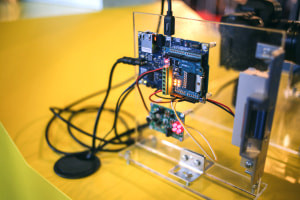
- Recall how to download and install the ESP32 package in an Arduino application
- Discuss how to set up a free website for your ESP32 project
- Recognise how to retrieve a table from your SQL database
- Outline how to create a PHP script to insert data into a database
- Summarise how to create a PHP script to display database content on a website
- Explain how to create an ESP32 HTTP request in Arduino IDE
- Paraphrase how to display ESP32 reading on your webpage
- Select the correct General Purpose Input Output for your projects

By the end of this course, you will be able to:
- Recall how to download and install the free Fusion 360 software
- List the features of the Fusion 360 application
- Explain how to create frames with specific dimensions on Fusion 360
- State the process of using the chamfers and extrude tools in the Fusion 360 software
- Paraphrase the steps in using the time machine feature to fix errors in the Fusion 360 tool
- Discuss how to import 3D models of Arduino into the Fusion 360 application
- Describe the process of creating cutouts on a design in Fusion 360
- Summarise the method of creating a 3D motion video from the Fusion 360 tool

By the end of this course, you will be able to:
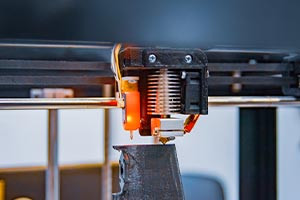
- Outline the main types of breadboards used in circuits
- Describe the role of a resistor in a circuit
- List the different types of components that you can add to your circuit
- Define the concept of Ohm's Law
- Discuss the fundamental types of circuits
- Evaluate the two methods of coding your circuit
- Recall the importance of the analogue write function
- Distinguish between pull-up and pull-down resistors
- Explain the fundamental goal of a serial monitor


Preguntas frecuentes
Once you have completed your purchase, your Digital Certificate/Digital Diploma and Transcript can be downloaded from the Dashboard of your Alison Account.
I access Alison via my computer:
Expand the Your Completed Courses & Claimed Certificates widget in your dashboard as shown below:
You will then be able to download your Digital Certificate/Diploma and Transcript. 
I access Alison via my Mobile Browser:
Expand the Your Completed Courses & Claimed Certificates widget in your Dashboard as shown below:
You will then be able to download your Digital Certificate/Diploma and Transcript. 
I access Alison via App:
Open My Certificates in your Dashboard, as shown in the example below:

You will then be able to download your Digital Certificate/Diploma and Transcript.

Continuing Professional Development, or CPD, is the process of continually developing or maintaining your professional skills. CPD helps individuals focus on how they can become a more competent and effective professional. Due to our rigorous publishing review process, courses on Alison are now being accredited by CPD UK, an independent organisation. Accredited CPD training means the learning activity has reached the required Continuing Professional Development standards and benchmarks, and the learning value has been scrutinised to ensure integrity and quality. This CPD Certification Service provides recognised independent CPD accreditation compatible with global CPD requirements. This means a certificate from a course on Alison can now be used as part of your CPD requirements (please check with your organisation’s guidelines). You can find out more about Alison accreditation here.
Users can pay a nominal fee to automatically download Digital Certificates or purchase paper or framed Certificates that are shipped via mail. For a more detailed list of the costs, visit the Shop page.