The goal of digital literacy is to teach and assess basic computer concepts and skills so that you can use computer technology in everyday life to develop new social and economic opportunities for yourself, your family and your community.
As part of its corporate social responsibility mission, Microsoft has created a suite of excellent free access resources called the Digital Literacy Curriculum.

Having completed this course you will be able to:

- Describe the helpfulness of using Bootstrap to upgrade/develop a website
- List the types of components found in Bootstrap
- Describe how to bring Bootstrap components into a website
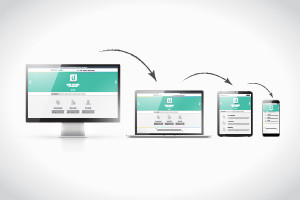
- Explain the importance of a responsive design for a website
- Discuss how to use grids in Bootstrap
- Describe how grids in Bootstrap are different to HTML tables

Having completed this course you will be able to:
- Identify what a single page application is.
- Identify the core philosophies of Angular.
- Recognise the features of typescript.
- Discuss the process of installing Angular.
- Recognise the main building blocks of an Angular application. Identify how to create and use a component, attribute and structural directives.
- Identify what interpolation is used for.
- Discuss using event binding in Angular 2.
- Explain how routing works in Angular 2.
- Explain the purpose of observables.
- Recognise how to connect the building blocks of Angular.
- Identify how to create a basic task list application.

Having completed this course you will be able to:
- List the benefits of using JavaScript in Bootstrap
- Describe how to create a Modal Dialogs and Alerts
- Describe how to create inline help on your website
- Explain how LESS can help you with achieving semantic mark-up and tidying up your code
- Recognize package managers that help manage the use of LESS within Bootstrap
- Discuss why you should not modify your Bootstrap files
- Discuss what a content delivery network (CDN) is, how it works and how it helps host your websitej

By the end of this course, you will be able to:
- Describe the three-step process code goes through when it is being compiled
- Discuss variable types in C++ and how to convert them into different types
- Explain why C++ is a strongly typed programming language
- Discuss the flow of control in a program and the precedence of operators in C++
- Describe what functions are and how they work
- Explain the usefulness of creating a header file and an object file to hold functions and objects
- Describe the C++ standard library and how to include in your programs
- Explain different ways to call the C++ standard library member functions. Identify what an object is
- Explain how a class can help create complex objects
- Discuss the process of encapsulation within your program

Having completed this course you will be able to:
- Describe how to create a reference to an object in your program
- Identify the importance and usefulness of inheritance in an object orientated program
- Explain what polymorphism is and how it can be useful to your program
- Discuss the use of pointers and compare their usage to references
- Describe creating objects in the free store
- Discuss the process of copying, assigning and destruction of objects
- Discuss using and creating templates
- Explain how to create a vector container to hold multiple values/variables
- Identify the different type of applications you can create for with C++

Having completed this course you will be able to:
- Identify the features of the Ruby programming language.
- Describe how to create a Ruby web app through the command line interface.
- Define what Object-Orientated programming is about. - Discuss inheritance in programming Explain how to create a class and an object.
- Explain the difference in creating a method and a class method.
- Identify how to create a method in Ruby.
- Recognise the syntax for creating conditional branching statements.
- Recognise the different types of loops in Ruby.
- Explain what inclusive and exclusive ranges are.
- Explain what MVC (Model View Controller) architecture is.
- Describe how to change your database schema using Rails.

By the end of this course, you will be able to:
- Explain how to create a worksheet and save, prepare for printing and apply templates to it
- Identify patterns and trends with conditional formatting, sparklines and charts
- Describe the ‘save’ and ‘run’ macros
- Identify how to navigate Excel's menus
- State the MS Excel 2010 version's improvements and new features
- Indicate the process of working with formulas and functions
- Outline the use of ‘VLOOKUP’ to search through the data in the spreadsheet
- Describe how to apply a table to data
- Discuss the ways to check conditions with the ‘IF’ function
- Explain the process of calculating dates using formulas
- Recall how to work more efficiently with keyboard shortcuts

By the end of this course, you will be able to:

- Use database templates
- Plan for good design
- Understand keys and data types
- Create tables while you save, add and navigate data
- Create relationships between tables
- Set referential integrity
- Create ‘queries’ and ‘lookup’ fields
- Create different types of forms in various ways
- Work in ‘layout’ view
- Create reports for your database
- Build and work with online databases
- Create and publish them
- Save a changed database to the web
- Utilize keyboard shortcuts and access keys
- Work with security protocols


Frequently Asked Questions
Once you have completed your purchase, your Digital Certificate/Digital Diploma and Transcript can be downloaded from the Dashboard of your Alison Account.
I access Alison via my computer:
Expand the Your Completed Courses & Claimed Certificates widget in your dashboard as shown below:
You will then be able to download your Digital Certificate/Diploma and Transcript. 
I access Alison via my Mobile Browser:
Expand the Your Completed Courses & Claimed Certificates widget in your Dashboard as shown below:
You will then be able to download your Digital Certificate/Diploma and Transcript. 
I access Alison via App:
Open My Certificates in your Dashboard, as shown in the example below:

You will then be able to download your Digital Certificate/Diploma and Transcript.

Continuing Professional Development, or CPD, is the process of continually developing or maintaining your professional skills. CPD helps individuals focus on how they can become a more competent and effective professional. Due to our rigorous publishing review process, courses on Alison are now being accredited by CPD UK, an independent organisation. Accredited CPD training means the learning activity has reached the required Continuing Professional Development standards and benchmarks, and the learning value has been scrutinised to ensure integrity and quality. This CPD Certification Service provides recognised independent CPD accreditation compatible with global CPD requirements. This means a certificate from a course on Alison can now be used as part of your CPD requirements (please check with your organisation’s guidelines). You can find out more about Alison accreditation here.
Users can pay a nominal fee to automatically download Digital Certificates or purchase paper or framed Certificates that are shipped via mail. For a more detailed list of the costs, visit the Shop page.