Frahaan is also a published author of 'Games Design' and 'Responsive Web Design'. He has all the factors required to educate and inspire others.
Frahaan is also a university lecturer teaching a variety of topics in games programming, from games design to OpenGL Shader programming.

Upon the completion of this course, you will be able to:

- Discuss the processes of creating basic geometry
- Explain how to update Viewport on Resize
- Recall the types of lights, distinguish between them and state their uses
- Distinguish between modelling materials that are affected by light and not affected by light
- Recall how to create interactive 3D experiences on interactive web applications
- Explain how to load complex 3D models to the scene to help engage users
- Discuss how to develop 3D life experiences using skybox in Three.js
- Explain how to keep track of the application format or frame rate in Three.js
- Define a skybox and state how they are created and used

By the end of this course, you will be able to:

- Identify basic HTML tags and state their functions
- Explain the process of adding headings to a website
- Distinguish between the types of lists in HTML
- Describe the process of adding links, images, and tables to a website
- Explain the relevance of meta tags to a website
- Distinguish between the block and in-line elements in HTML
- Describe the process involved in embedding a website in another
- Identify various methods for formatting a website in HTML
- Describe the process of adding forms and media to a website using HTML
- Explain the role of CSS in designing a website with HTML
- Outline the importance of adding JavaScript to an HTML website

By the end of this course, you will be able to:

- Define styling and distinguish between the three types of styling in CSS
- State the functions of comments and how to do comments in CSS
- Identify examples of pseudo-classes in CSS and state their positions, respectively
- Explain how to create and manipulate border properties in CSS
- Discuss how to set background images for web pages using CSS
- Discuss what pseudo-elements are all about and state their roles in styling websites
- List some examples of layout types used in CSS
- Identify the similarities between the clear and float properties in CSS
- Recall the procedures to create rounded corners for background images and shapes in CSS
- Explain how to add shadows to elements in CSS

By the end of this course, you will be able to:
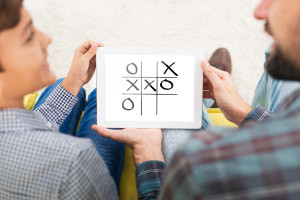
- Explain how to create a fully functional multi-device cross-platform tic-tac-toe game in Cocos2d-x using C++
- Describe the process and commands to set up and initiate the project
- Describe how to create the menu system for the game
- Describe how to create and implement splash scenes into the games
- Describe how to build a grid system and create game logic in the tic-tac-toe game
- Explain how to implement an AI system into the game
- Describe how to build other important parts of the games like pause and leaderboards to make the game more user-friendly
- Describe how to build unlock achievements in the tic-tac-toe game
- Identify key C++ commands and codes to develop games in Cocos2d-x
- Describe how to write a C++ program in Cocos2d-x for creating games

By the end of this course, you will be able to:
- Identify the method for SFML setup on Windows and Mac machines
- Describe how to implement the State Machine to switch between different states in a game
- Describe how to implement an Asset Manager for a game
- Explain how to build an Input Manager for a game
- List and create the states in a game
- Explain the method for implementing a ‘win condition’ in the tic-tac-toe game
- Describe how to add AI into a game
- Explain the methods for initializing the grid system, placing a piece and ‘checking for win’ condition

By the end of this course, you will be able to:
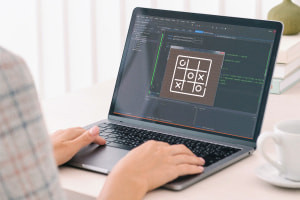
- Explain how to set up SFML for Windows OS and Mac OS
- State the role of a project directory folder and how to create one
- Explain how to hide the console on a Windows machine
- Discuss how to implement the header files in a state machine
- State the functions of an asset manager
- Distinguish between splash state and main menu state
- Recall the procedures for implementing the various game states

By the end of this course, you will be able to:

- Define ‘Swift’ and identify its characteristics
- Define ‘variables’ and ‘constants’ and explain how to use them in Swift
- Identify conditional statements and explain how to create them in Swift
- Describe For Loops and While Loops and explain how to create them using Swift
- Outline ‘switch’, ‘break’ and ‘continue’ statements and explain how to use them in Swift
- Describe how to create functions and classes in Swift
- Explain the method for creating enumerators using Swift

By the end of this course, you will be able to:

- Explain the concept of WebVR
- Outline the box drawing parameters in A-frame
- Distinguish between the various transformation tools in A-frame
- State the purpose of animation in A-Frame
- Explain how to make the scene interactive in A-Frame
- Distinguish between the various types of lights
- State the functions of the skybox effect
- Explain the importance of loading external models on thescene
- Recall the various methods of loading images on the scene
- Describe the process of loading a video into the scene
- Recall the manner of implementing a video sphere
- List the methods of loading videos/images into the A-Frame scene


Frequently Asked Questions
Once you have completed your purchase, your Digital Certificate/Digital Diploma and Transcript can be downloaded from the Dashboard of your Alison Account.
I access Alison via my computer:
Expand the Your Completed Courses & Claimed Certificates widget in your dashboard as shown below:
You will then be able to download your Digital Certificate/Diploma and Transcript. 
I access Alison via my Mobile Browser:
Expand the Your Completed Courses & Claimed Certificates widget in your Dashboard as shown below:
You will then be able to download your Digital Certificate/Diploma and Transcript. 
I access Alison via App:
Open My Certificates in your Dashboard, as shown in the example below:

You will then be able to download your Digital Certificate/Diploma and Transcript.

Continuing Professional Development, or CPD, is the process of continually developing or maintaining your professional skills. CPD helps individuals focus on how they can become a more competent and effective professional. Due to our rigorous publishing review process, courses on Alison are now being accredited by CPD UK, an independent organisation. Accredited CPD training means the learning activity has reached the required Continuing Professional Development standards and benchmarks, and the learning value has been scrutinised to ensure integrity and quality. This CPD Certification Service provides recognised independent CPD accreditation compatible with global CPD requirements. This means a certificate from a course on Alison can now be used as part of your CPD requirements (please check with your organisation’s guidelines). You can find out more about Alison accreditation here.
Users can pay a nominal fee to automatically download Digital Certificates or purchase paper or framed Certificates that are shipped via mail. For a more detailed list of the costs, visit the Shop page.