LinkedIn is the world's most popular professional and career networking website. The website functions as an online directory of people and organizations. While individuals use it for professional networking, businesses and organizations all over the world use it for recruiting and showcasing their services to other businesses and prospective employees. The proper use of LinkedIn's functionalities can do wonders for both individuals and organizations in terms of meeting professional goals and broadening their professional networks. This free online course teaches you the most effective methods for using LinkedIn as a professional network to build, broaden, and manage your professional connections. To begin, you will discover the importance of LinkedIn as a professional networking site. Several facts and figures will be presented to demonstrate the platform's strength as a professional network.
Networking is not a one-sided game; it must be done for mutual benefit. The concept of networking via LinkedIn in order to gain mutual advantages will be explained. Next, with the help of numerous examples, the various reasons for using LinkedIn will be outlined. Following a discussion of LinkedIn's purposes, you will learn how to target an audience and reach out to them. The various levels of connections that can be made with people on LinkedIn will also be discussed. LinkedIn provides search and filter features to help you narrow down your search for a specific person or organization. The best way to use these features and get the most out of any search will be covered in the following section. Sometimes you want to make a new connection but don't know how to go about it. This course outlines effective methods for introducing yourself to a new connection in a professional manner.
When sending or receiving an invitation, certain best practices must be followed. These best practices will be explained using various examples. LinkedIn provides an invitation manager to handle incoming invitations. The use of this tool to manage and funnel down important invitations while discarding the rest will also be discussed. You will also learn how to establish positive relationships with new contacts in order to get the most out of a professional network. LinkedIn, when used correctly, can be a powerful tool for gaining social proof for your skills and talents. This course teaches you not only how to create networking opportunities, but also how to use LinkedIn to demonstrate your knowledge and credibility. It has been designed specifically for business owners, recruiters, job seekers, and anyone who wants to build a strong network for career or business processes. Take advantage of this free opportunity by enrolling right away!
What You Will Learn In This Free Course
View All Learning Outcomes View Less All Alison courses are free to enrol, study, and complete. To successfully complete this Certificate course and become an Alison Graduate, you need to achieve 80% or higher in each course assessment.
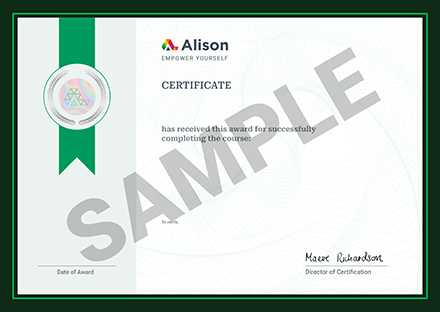
Once you have completed this Certificate course, you have the option to acquire an official Certificate, which is a great way to share your achievement with the world.
Your Alison certificate is:
- Ideal for sharing with potential employers.
- Great for your CV, professional social media profiles, and job applications.
- An indication of your commitment to continuously learn, upskill, and achieve high results.
- An incentive for you to continue empowering yourself through lifelong learning.
Alison offers 2 types of Certificate for completed Certificate courses:
- Digital Certificate: a downloadable Certificate in PDF format immediately available to you when you complete your purchase.
- Physical Certificate: a physical version of your officially branded and security-marked Certificate
All Certificate are available to purchase through the Alison Shop. For more information on purchasing Alison Certificate, please visit our FAQs. If you decide not to purchase your Alison Certificate, you can still demonstrate your achievement by sharing your Learner Record or Learner Achievement Verification, both of which are accessible from your Account Settings.










 Avg. Hours
 Contains Video
 CPD Accredited

 Total XP:
 Knowledge & Skills You Will Learn