








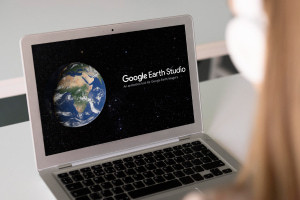
Introduction to Google Earth Studio
Back To Introduction to Google Earth Studio
Enrolled1.5-3 Hours (Contains Video)
Save This Course For Later
 Certify Now
Certify Now
Confident you have the skills to certify without completing the course content?
![]() Beginner Level
Beginner Level

Introduction to Google Earth Studio
This free online course equips you with the knowledge essential for unleashing the full potential of Google Earth Studio
Save This Course For Later
Certify NowCertify Now
Confident you have the skills to certify without completing the course content?
- Enrolled
![]() Positive Ratings
Positive Ratings ![]()
- Avg. Duration1.5-3 Hours (Contains Video)
![]()
- Available Languages (1)
![en]() English
English
![]()
 This course is
CPD-Accredited

 English


Confident you have the skills to certify without completing the course content?
Certify NowLearning Outcomes
In this free course, you will learn how to:
- Discuss the features of Google Earth Studio
- Explain the reasons why people choose Google Earth Studio
- Recognize the purpose of the Google Earth Studio user forum
- Identify various tools used on the Google Earth Studio interface
- Recall the mouse action to change the angle of the Earth's surface for a three-dimensional perspective
- Discuss the concepts of keyframes and state attributes they can be used to define
- Explain the purpose of the street view function in Google Earth Studio
- Recall how to save projects in Google Earth Studio
- Discuss recommended practices for managing project files in Google Earth Studio
- Explain how Google Earth Studio simulates changes in lighting and atmosphere
- State the function of the Multiview feature in Google Earth Studio
- Outline the available options for customizing keyframe animation in Google Earth Studio
Course Overview
About This Course
Course Description
Read More
Published by


Showcase Skills With A Certificate!
![]() Earn credentials that matter: Anyone can say they’re learning. A CPD-accredited Alison Certificate proves you followed through.
Earn credentials that matter: Anyone can say they’re learning. A CPD-accredited Alison Certificate proves you followed through.![]() Get an edge over others: Add your Certificate to your CV, LinkedIn, and Alison Profile to strengthen job applications and promotion opportunities.
Get an edge over others: Add your Certificate to your CV, LinkedIn, and Alison Profile to strengthen job applications and promotion opportunities.![]() Show you’re serious about growth: A Certificate signals initiative, commitment, and a willingness to keep learning; qualities employers actively look for.
Show you’re serious about growth: A Certificate signals initiative, commitment, and a willingness to keep learning; qualities employers actively look for.


Course Rating & Reviews
 -Positive Ratings
Reviews
Loading...
Loading...
Loading...
Loading...
Loading...
Loading...
View All Reviews![]()

Back to top
Back to course information

Download Courses And Learn Without Internet!
Use your iOS or Android devices to download Alison courses, and learn without internet on the Alison App.


Advertisement
Explore Related Courses

Interested In This Course For Your Team?
16,000 organisations use Alison for Business to upskill their teams


 Total XP:


