Join millions using the Alison App – faster, easier, and made for learning on the move... 📲 Learn On The Go With
The Alison App
Explore
en
For BusinessAffiliate coin
Language icon en
SONIC Performance Support - E-Learning Experts
Microsoft software e-learning experts
144,993
Learners
6
Courses
1,002
Benefited
Teaching & Academics
Management
Business
3+
Teaching on Alison since Jul, 2021
The e-learning course provider SONIC Performance Support was established in 2006 by Jörn Oelze, who has spent over 25 years in the instructor-led training business. SONIC use state-of-the-art technologies in its products, solutions and services to ensure knowledge transfer at the highest level.


Their solutions enable effective learning and have a significant impact on saving time and money. Courses have small video-based learning segments, generally between three and seven minutes in duration. These can also be used for structured, formal learning and are manageable should you need to learn an entire course from start to finish.


SONIC offers training videos used by many companies and institutions, for example, for managing migration processes to
🏆 Top Course by this Course Creator
Learning Microsoft PowerPoint
17,634 Learners already enrolled
177
148
Not Interested
Free Online Courses by SONIC Performance Support - E-Learning Experts
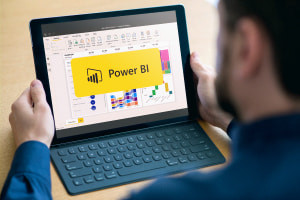
Master Microsoft Power BI
3-4 hrs 95,410 learners
By SONIC Performance Support - E-Learning Experts
You Will Learn How To

By the end of this course, you will be able to:

  • Identify the Power BI components and workflows you need to know
  • Recognize meaningful reports and dashboards
  • Translate data into graphics using Power BI features
  • Compare Power BI with Excel
  • Recall the advanced features of Power BI, which can be applied to a report to increase its informative value and significance
  • Describe the different ways to format and annotate data in Power BI
  • Explain the role of filters and slicers in data visualization
  • Discuss the steps to be taken to ensure that reports are displayed optimally on mobile devices
  • Compare the different Power BI versions and offerings
course logo
CERTIFICATE
Advanced Level
Master Microsoft Power BI

1,568 liked this course

3-4 hrs
95410 enrolled
Advanced Features in Microsoft PowerPoint
3-4 hrs 5,689 learners
By SONIC Performance Support - E-Learning Experts
You Will Learn How To

Upon successful completion of this course, you should be able to:

  • Explain customizing the status bar of your PowerPoint 2016 to suit your specific needs
  • Compare contents on slides by creating multiple presentation windows
  • Outline how to configure the program to automatically save your work after specific time intervals
  • Discuss how to create a ‘SmartArt’ graphic and insert a mathematical equation 
  • Arrange sections in your presentation and organize your slides
  • Compare and merge slides in PowerPoint 2016
  • Describe how to use the ‘annotation’ tool to improve the quality of your presentation 
  • Select action buttons to a slide show to help your audience navigate some of the slides by themselves
  • Summarize some of the important points to consider while presenting a live broadcast
course logo
CERTIFICATE
Advanced Level
Advanced Features in Microsoft PowerPoint

67 liked this course

3-4 hrs
5689 enrolled
Learning Microsoft PowerPoint
4-5 hrs 17,634 learners
By SONIC Performance Support - E-Learning Experts
You Will Learn How To

By the end of this course, you will be able to:

  • Outline the process of setting up and navigating the PowerPoint 2016 environment
  • Identify how to create and save your presentations successfully
  • Explain how to perform basic and advanced text edits on your presentations
  • Discuss how to add, delete and modify slides on PowerPoint 2016
  • Recognise how to add and modify objects and graphical elements to your slides
  • Describe how to design effective tables and charts for your presentations
  • Explain how to apply transitions to your presentation
  • Identify the process of exporting and presenting a slideshow successfully
course logo
CERTIFICATE
Advanced Level
Learning Microsoft PowerPoint

325 liked this course

4-5 hrs
17634 enrolled
Microsoft Teams: Your Central Place for Communication and Collaboration
1.5-3 hrs 3,352 learners
By SONIC Performance Support - E-Learning Experts
You Will Learn How To

By the end of this course, you will be able to:

  • Outline the main functions of Microsoft Teams
  • Explain how to properly install and manage Microsoft Teams on various devices
  • Discuss different features accessed by the program's interface
  • Compare Microsoft Team's windows and tabs
  • Summarise the best ways to build teams and channels wisely
  • Highlight different ways to make calls within the Microsoft Teams app
  • List the technical requirements of participating in video conferences
course logo
CERTIFICATE
Beginner Level
Microsoft Teams: Your Central Place for Communication and Collaboration

52 liked this course

1.5-3 hrs
3352 enrolled
A Brief Guide to Cyber Security
3-4 hrs 18,437 learners
By SONIC Performance Support - E-Learning Experts
You Will Learn How To

By the end of this course, you will be able to:

  • Outline cyber attack tactics and techniques
  • Identify cyber attacks and reduce the chances of data breaches
  • Explain how to prevent cyber attacks
  • Analyze the various types of cyber attacks
  • Outline how to react to data breaches and cyber attacks
  • Solve problems by conveying effective defense techniques
  • Contrast and balance trust with verification when using the internet
  • Define terms such as ‘social engineering’, ‘malware’, ‘password management’ and ‘secure internet usage’
course logo
CERTIFICATE
Beginner Level
A Brief Guide to Cyber Security

485 liked this course

3-4 hrs
18437 enrolled
Microsoft Planner Masterclass
3-4 hrs 3,336 learners
By SONIC Performance Support - E-Learning Experts
You Will Learn How To

By the end of this course, you will be able to:

  • Establish the significance of good project planning
  • Define ‘tasks’ and ‘buckets’ in the context of Microsoft Planner
  • List various programs that can work in collaboration with Microsoft Planner
  • Discuss the significance of setting ‘priority levels’ and ‘due dates’ in the program
  • List the fundamental features of Microsoft Planner
  • Distinguish between the program's use of filters and groups
course logo
CERTIFICATE
Intermediate Level
Microsoft Planner Masterclass

65 liked this course

3-4 hrs
3336 enrolled
Showing 1 - 6 of 6
Learner Reviews & Feedback For
1,574
1,002
avatar
Mohamed M.
the content is very good but the instructor is fantastic
Was This Review Helpful?
Report
avatar
Joy G.
The course was very interesting, informative and interactive. The tutor is very knowledgeable and explained the step by step process in a simplified way.
Was This Review Helpful?
Report
Get Exclusive Course Updates
Be the first to know when a new course is available from SONIC Performance Support - E-Learning Experts . Stay on track with your learning goals and find new opportunities to grow.
View Similar Course Creators
category image
Business
+6
Course creators avatar
Advance Learning - Human Resources (HR)
HR & digital learning experts
Established in 1998, Advance Learning is an expert in the field of e-learning. Advance Learning - Human Resour..Know More
12 Courses
314,634 Learners
category image
Business
+7
Course creators avatar
Advance Learning - Management, Leadership & Strategy
Leadership & strategy experts
Advance Learning - Management, Leadership & Strategy is a premier online education provider, specialising in a..Know More
71 Courses
1,169,552 Learners
category image
Teaching & Academics
+7
Course creators avatar
Global Text Project
Textbook courses by experts
The Global Text Project is an open educational resource that creates and translates open-content textbooks and..Know More
28 Courses
1,656,256 Learners
category image
Language
+8
Course creators avatar
NPTEL
University lecturer curated courses
The National Programme on Technology Enhanced Learning is an online learning platform founded in 2003 by the c..Know More
589 Courses
6,102,427 Learners
category image
Business
+8
Course creators avatar
Professional Academy
Developed by university lecturers
Professional Academy has curated courses since 2008 to make quality online courses freely available to all who..Know More
106 Courses
1,773,766 Learners
category image
Information Technology (IT)
+5
Course creators avatar
SimonSezIT
Business & technical software leaders
SimonSezIT has been providing quality online education for over a decade and has taught hundreds of thousands ..Know More
60 Courses
1,674,647 Learners
category image
Business
+3
Course creators avatar
SM Waqas Imam
Lean Six Sigma professional, Trainer
SM Waqas Imam is turn-around QHSE (quality, health, safety and environment) and Lean Six Sigma professional, t..Know More
22 Courses
1,179,557 Learners
category image
Teaching & Academics
+6
Course creators avatar
XSIQ
Multiple subject experts.
XSIQ was an Australian interactive multimedia corporation set up to develop industry leading interactive multi..Know More
39 Courses
3,186,069 Learners
Explore All Alison Course Categories
Information Technology (IT)
1,313
Courses
Language
319
Courses
Health
1,157
Courses
Teaching & Academics
1,693
Courses
Personal Development
1,374
Courses
Business
1,814
Courses
Sales & Marketing
456
Courses
Engineering & Construction
856
Courses
Management
1,131
Courses

Frequently Asked Questions

Is Alison really free?
The good news is that it’s free to learn on Alison! There is no cost for you to study and complete any of the courses offered by Alison. Once you’ve completed a course, you’ll have the option to purchase a printed or digital Certificate. If you don’t purchase a Certificate or Diploma, you can download your free Learner Record. This is official confirmation of the courses you have completed with Alison and the results you have achieved. Your Learner Record can be found in your Profile/Dashboard.
To fully complete a course, you must study all sections of the course and score at least 80% in each assessment. Check you have completed all the sections in your course by looking for a green tick beside each completed section. Once you have completed your course and passed your assessments, your Certificate will be available to purchase straight from the Shop.

Once you have completed your purchase, your Digital Certificate/Digital Diploma and Transcript can be downloaded from the Dashboard of your Alison Account. 

I access Alison via my computer:


Expand the Your Completed Courses & Claimed Certificates widget in your dashboard as shown below:


You will then be able to download your Digital Certificate/Diploma and Transcript. 


I access Alison via my Mobile Browser:


Expand the Your Completed Courses & Claimed Certificates widget in your Dashboard as shown below:


You will then be able to download your Digital Certificate/Diploma and Transcript.


I access Alison via App:


Open My Certificates in your Dashboard, as shown in the example below:


You will then be able to download your Digital Certificate/Diploma and Transcript. 


On an Android device, the file will be saved to your “Downloads” folder. If you're using an iOS device, the file will be saved to the “Files” folder.

Continuing Professional Development, or CPD, is the process of continually developing or maintaining your professional skills. CPD helps individuals focus on how they can become a more competent and effective professional. Due to our rigorous publishing review process, courses on Alison are now being accredited by CPD UK, an independent organisation. Accredited CPD training means the learning activity has reached the required Continuing Professional Development standards and benchmarks, and the learning value has been scrutinised to ensure integrity and quality. This CPD Certification Service provides recognised independent CPD accreditation compatible with global CPD requirements. This means a certificate from a course on Alison can now be used as part of your CPD requirements (please check with your organisation’s guidelines). You can find out more about Alison accreditation here.

Users can pay a nominal fee to automatically download Digital Certificates or purchase paper or framed Certificates that are shipped via mail. For a more detailed list of the costs, visit the Shop page.

 

You don’t have to purchase a Certificate in order to certify. You can access your Learner Report showing that you have completed the course.


Create Courses on Alison, Make Money, Empower Millions
Feeling inspired by SONIC Performance Support - E-Learning Experts? You can become a Course Creator too. Share your expertise with millions of learners and help them grow every day.
Become a Course Creator