Expand the Your Completed Courses & Claimed Certificates widget in your Dashboard as shown below:
You will then be able to download your Digital Certificate/Diploma and Transcript.
Los mejores cursos gratuitos
Las búsquedas más populares
Tus búsquedas recientes
Si es así, ¡consulta el LMS gratuito de Alison aquí!
Selecciona el idioma del sitio
Ver el sitio en tu idioma preferido
Escanea este código QR para descargar la app ahora y aprender en cualquier momento y lugar.
Tap below to get the app now and learn anywhere, anytime.
Filtrar por learner tópicos
Preguntas más frecuentes
learner account
premium subscription
learning
certificates
payments
orders
career building tools
accreditation
affiliate programme
refer-a-friend programme
alison app
technical help
Preguntas más frecuentes
learner account
premium subscription
learning
certificates
payments
orders
career building tools
accreditation
affiliate programme
refer-a-friend programme
alison app
technical help
How do I download my Digital Certificate?
Once you have completed your purchase, your Digital Certificate/Digital Diploma and Transcript can be downloaded from the Dashboard of your Alison Account.
The certificate language is set based on the language used for the final assessment. To change it, you must retake the assessment in the desired language and achieve a higher score than before.
Your digital certificate will update immediately once the new language is applied. However, if a parchment certificate was already dispatched in the previous language, a new order will be required for a parchment in the new language.
Please check and confirm the certificate language before placing your order to avoid additional charges.
Expand the Your Completed Courses & Claimed Certificates widget in your Dashboard as shown below:
You will then be able to download your Digital Certificate/Diploma and Transcript.
Expand the Your Completed Courses & Claimed Certificates widget in your Dashboard as shown below:
You will then be able to download your Digital Certificate/Diploma and Transcript.
Expand the CertificatesClaimed widget in your Dashboard as shown below:
You will then be able to download your Digital Certificate/Diploma and Transcript.
On an Android device, the file will be saved to your “Downloads” folder. If you're using an iOS device, the file will be saved to the “Files” folder.
Can I have my Alison Certificate customised?
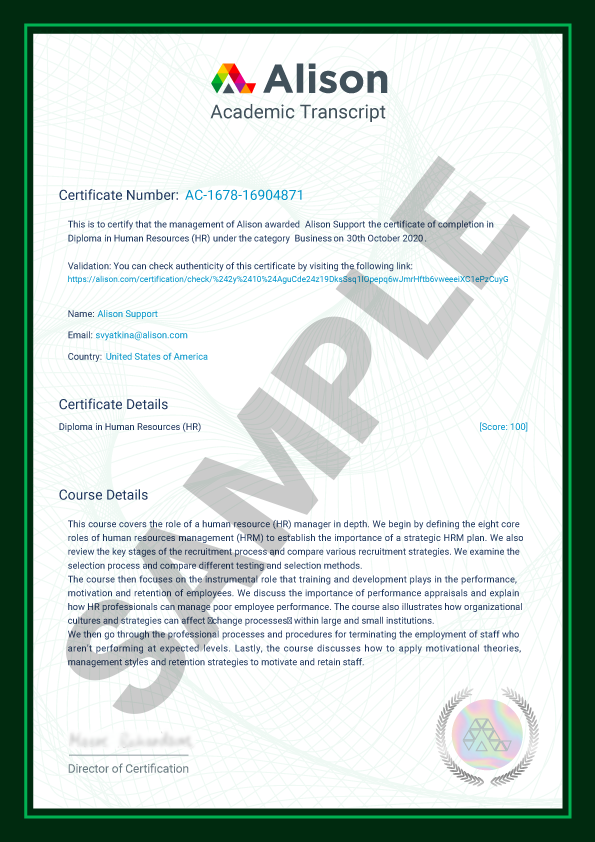
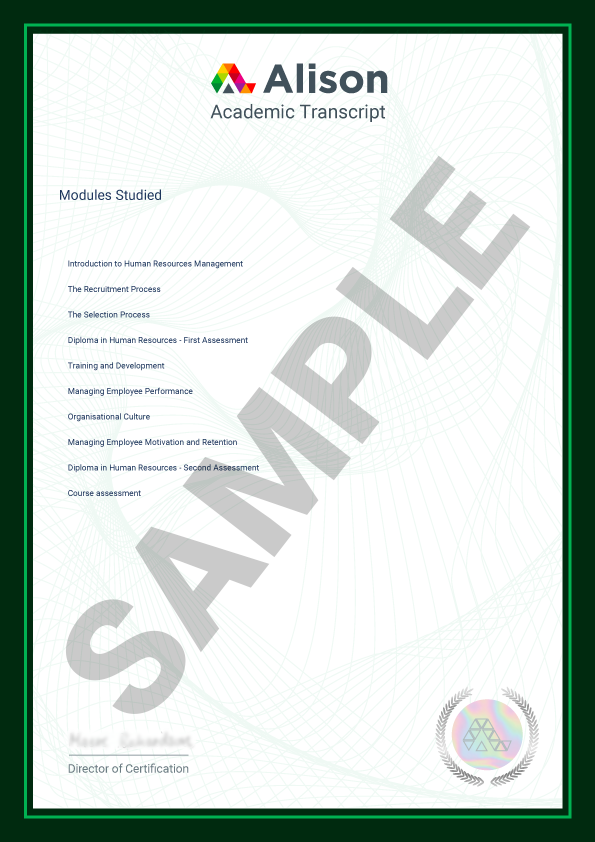
Unfortunately, we’re unable to customise Certificates or include additional information. To help ensure the validity and authenticity, Alison Certificates and Diplomas maintain a consistent layout. Please find below a sample of our Certificate, Diploma and Transcript for your reference.
Sample Alison Certificate and Diploma Parchment
To help ensure validity and authenticity, Alison Certificates and Diplomas maintain a consistent layout. Please find below a sample Certificate, Diploma and Transcript for your reference.

Alison Certificate parchments include these enhanced security features:
Bespoke micro embossed silver rainbow prismatic foil
UV dull watermarked security material with embedded invisible UV fibres
Guilloche security patterned background
UV invisible ink
Sequential stock control numbering on reverse

Alison Diploma parchments include these enhanced security features:
Bespoke micro embossed silver rainbow prismatic foil
UV dull watermarked security material with embedded invisible UV fibres
Guilloche security patterned background
UV invisible ink
Sequential stock control numbering on reverse
An Alison Academic Transcript is a detailed summary of the course you have completed on Alison. It contains your personal details, the final score you achieved, a course description and the names of the modules that you have completed. It also contains an authentication link to validate your achievement.
How do I get my Certificate?
To fully complete a course, you must study all sections of the course and score at least 80% in each assessment. Check you have completed all the sections in your course by looking for a green tick beside each completed section.
Once you have completed your course and passed your assessments, your Certificate will be available to purchase straight from the Shop.
The certificate language is automatically set based on the language you use to complete the final course assessment. Make sure you take the assessment in your preferred language, as your certificate will be issued in that same language.
If you’d like to change the language of a purchased certificate, you’ll need to retake the assessment in the desired language. Please note that the certificate language will only update if you achieve a higher score than your previous result.
Note: Once you complete the assessment in a new language and the certificate language is updated, your digital certificate will be available in the selected language immediately.
However, if you purchased a parchment certificate and it was already dispatched in the previous language, you’ll need to place a new order to receive a parchment certificate in the new language.
To avoid additional charges, please make sure to check and confirm the certificate language before placing your order.
Users can pay a nominal fee to automatically download Digital Certificates or purchase Certificate parchment that are shipped via mail. For a more detailed list of the costs, visit the Shop page.
You don’t have to purchase a Certificate in order to certify. You can access your Learner Report showing that you have completed the course.
All learning on Alison is free. After you complete a course, you are given the option to purchase a digital or printed version of your achievement.
Purchasing a Certificate is simple.
Step 1. Check your name on the Certificate
Start by going to the Shop and checking your name on the Certificate.
Please double-check that your name is spelled correctly. If you double-check your spelling now, you'll avoid errors – and the extra costs of making corrections later on!
Just click on the Edit Name button to check and update your name:
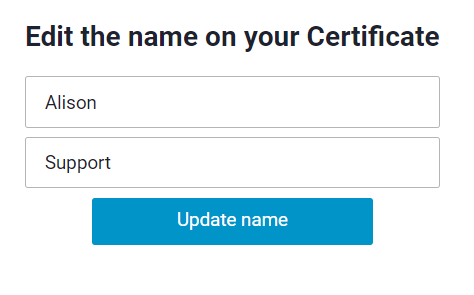
Correct name and click Update:
Step 2. Choose the Course
You will see a screen showing all your available Certificates. Select the course you want to purchase a Certificate for.
Step 3. Choose the Certificate type
The next step is to choose the type of Certificate you want to purchase, as shown below. Don’t forget to add any discounts you have in this step before clicking the Next button.
Step 4. Payment method
The last step is to select your payment method. Choose Credit/Debit Card, Paypal or Bank Transfer.

Credit/Debit Card: This is a quick and easy way to pay through the shopping cart in your Alison Account.
PayPal: You will be redirected to the PayPal website to confirm your payment (if PayPal is operational in your country).
Bank Transfer: Choose I do not have a card or Paypal and reserve the order. You will see bank details for payment on the order confirmation page. We will also send these to you by email.

We can help you more quickly if you email your payment receipt to [email protected]. That way, we can take care of it right away.
Step 1. Check your name on the Certificate
Start by going to the Shop and checking your name on the Certificate.
Please double-check that your name is spelled correctly. If you double-check your spelling now, you'll avoid errors – and the extra costs of making corrections later on!
Just click on the Edit Name button to check and update your name:
Correct name and click Update:
Step 2. Choose the Course
You will see a screen showing all your available certificates. Select the course you want to purchase a certificate for. Scroll down to find more completed courses.
Step 3. Choose the Certificate type
The next step is to choose the type of Certificate you want to purchase, as shown below. Don’t forget to add any discounts you have in this step before clicking the Next button.
Step 4. Payment method
The last step is to select your payment method. Choose Credit/Debit Card, Paypal or Bank Transfer.
Credit/Debit Card: This is a quick and easy way to pay through the shopping cart in your Alison Account.
PayPal: You will be redirected to the PayPal website to confirm your payment (if PayPal is operational in your country).
Bank Transfer: Choose I do not have a card or Paypal and reserve the order.
You will see bank details for payment on the order confirmation page. We will also send these to you by email.
We can help you more quickly if you email your payment receipt to [email protected]. That way, we can take care of it right away.
Step 1. Choose the Course
Start by going to the Shop. You will see a screen showing all your Unclaimed Certificates. Select the course you want to purchase a Certificate for.
Step 2. Check your name on the Certificate
Please double-check that your name is spelled correctly. If you double-check your spelling now, you'll avoid errors – and the extra costs of making corrections later on!
Just click on the Edit Your Name button to check and update your name:
Correct name and click Update:
Step 3. Choose the Certificate type
The next step is to choose the type of Certificate you want to purchase, as shown below. Don’t forget to add any discounts you have in this step before clicking the Next button.
Step 4. Payment method
The last step is to select your payment method. Depending on the purchased product, there are specific payment options.
Digital Certificate or Digital Diploma:
ApplePay/GPay: Due to Apple and Google requirements, this is the only option for digital product purchases via the App.
If you don't have an ApplePay or GPay account, no worries! You can still purchase your Digital Certificate or Diploma. Just switch to the browser version and you'll be able to use other payment methods.
Printed Certificates:
Credit/Debit Card: This is a quick and easy way to pay through the shopping cart in your Alison Account.
PayPal: You will be redirected to the PayPal website to confirm your payment (if PayPal is operational in your country).
When you place an order for a printed Certificate, please include your complete delivery address. Doing this will help us get your order to you in time. For optimal delivery, we recommend that you also provide a PO Box and Postcode.
The Certificate or Diploma that you purchased from Alison includes a QR Code. Use a QR code scanner on your smartphone or tablet to scan the code and you’ll be redirected to the Alison website where your Certificate will be verified.
Your Alison Transcript also includes a link that can be used to verify your achievement.
Is Alison really free?
The good news is that it’s free to learn on Alison! There is no cost for you to study and complete any of the courses offered by Alison. Once you’ve completed a course, you’ll have the option to purchase a printed or digital Certificate.
If you don’t purchase a Certificate or Diploma, you can download your free Learner Record. This is official confirmation of the courses you have completed with Alison and the results you have achieved. Your Learner Record can be found in your Profile/Dashboard.
I want to change certificate language
The certificate language is automatically set based on the language you use to complete the final course assessment. Make sure you take the assessment in your preferred language, as your certificate will be issued in that same language.
If you’d like to change the language of a purchased certificate, you’ll need to retake the assessment in the desired language. Please note that the certificate language will only update if you achieve a higher score than your previous result.
Note: Once you complete the assessment in a new language and the certificate language is updated, your digital certificate will be available in the selected language immediately.
However, if you purchased a parchment certificate and it was already dispatched in the previous language, you’ll need to place a new order to receive a parchment certificate in the new language.
To avoid additional charges, please make sure to check and confirm the certificate language before placing your order.
Cada persona es diferente y sus preguntas también lo son. Habla directamente con nuestro equipo y responderán personalmente todas tus preguntas, sin importar cuáles sean.
ContáctanosÚnete a nuestra comunidad de más de 50 millones de estudiantes, mejora tus habilidades con cursos acreditados por el CPD del R. U., explora herramientas de desarrollo profesional y psicometría: todo de forma gratuita.